
一些杂物
🌱 🦤 🌱
windows
1 | oobe\bypassnro |
1 | sysdm.cpl |
新系统设置
设置
关闭隐私内容,关闭应用自启动,关闭粘滞键设置搜索powershell,打开
以允许本地 PowerShell 脚本在未签名的兄下运行控制面板关闭
快速启动win11系统修改
鼠标右键
1 | reg add "HKCU\Software\Classes\CLSID\{86ca1aa0-34aa-4e8b-a509-50c905bae2a2}\InprocServer32" |
1 | irm https://get.activated.win | iex |
- regedit, 关闭自动更新
1 | 计算机\HKEY_LOCAL_MACHINE\SOFTWARE\Microsoft\WindowsUpdate\UX\Settings |
1 | FlightSettingsMaxPauseDays |
- 添加自定义自启动程序
1 | shell:startup |
- 添加右键菜单发送
1 | shell:sendto |
Firefox
永久禁用更新
1 | cd firefox64 |
1 | { |
编辑浏览器界面
F12开启控制台后输入如下代码, 即可更改网页任意数据
1 | document.body.contentEditable='true' |
更换背景
- 把火狐浏览器主页和新建标签页设置为空白页, 经以下操作后即可自定义主页和新建标签页背景
1 | about:profiles |
1 | mkdir chrome |
1 | @-moz-document url(about:home), url(about:newtab), url(about:privatebrowsing) { |
1 | about:config |
1 | toolkit.legacyUserProfileCustomizations.stylesheets |
firefox便携版
官网下载源文件之后, 把文件名
Firefox Setup 115.14.0esr.exe修改为Firefox Setup 115.14.0esr.7z, 并解压文件. 得到core文件夹和setup.exe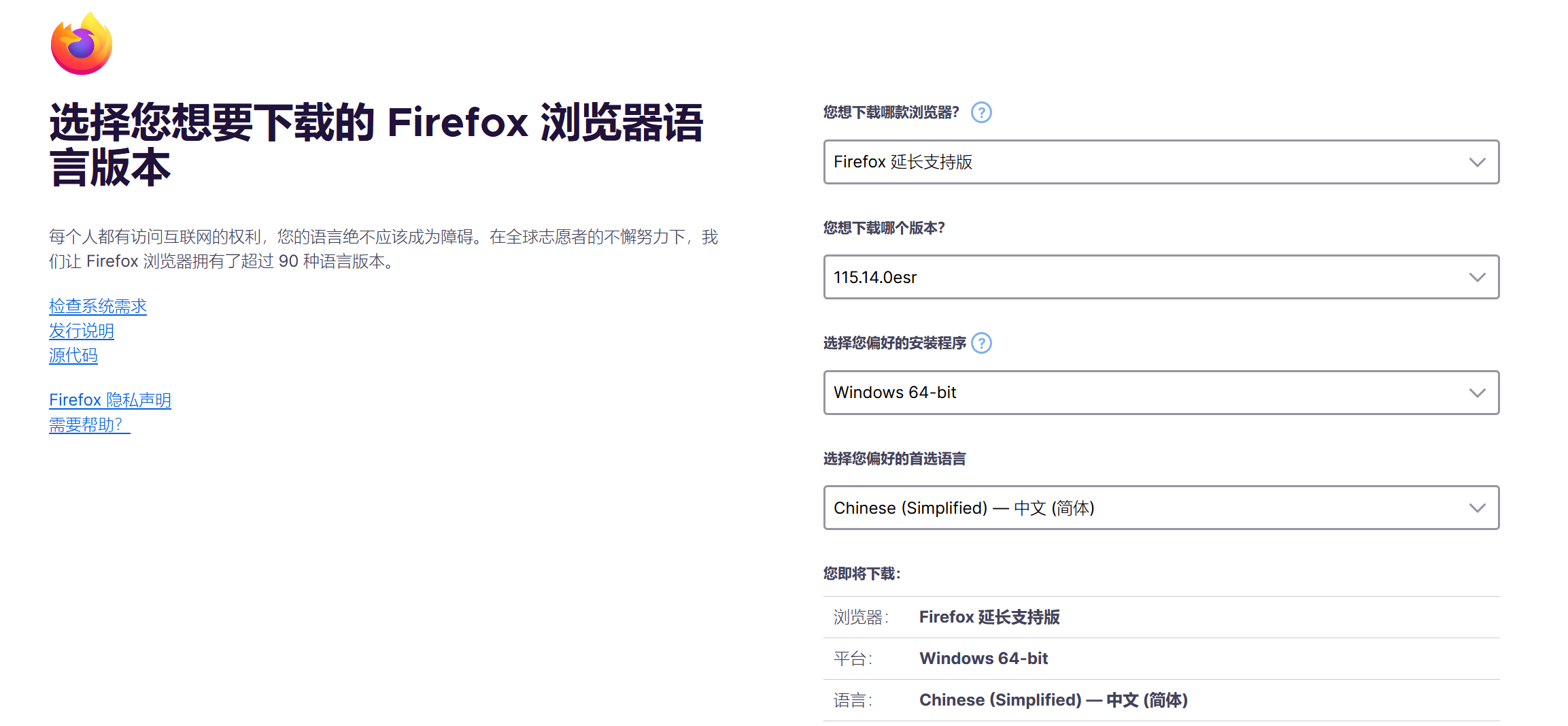
新建
FirefoxPortableESR/App/Firefox64文件夹, 把coer文件夹下的内容复制到FirefoxPortableESR/App/Firefox64文件夹下新建
FirefoxPortableESR/Data/profile文件夹, 该文件夹是用于保存个人数据新建
FirefoxPortableESR/FirefoxPortable.ini文件, 写入1
2
3
4
5
6
7
8
9
10
11
12
13
14
15
16[FirefoxPortable]
FirefoxDirectory=App\Firefox
ProfileDirectory=Data\profile
SettingsDirectory=Data\settings
PluginsDirectory=Data\plugins
FirefoxExecutable=firefox.exe
AdditionalParameters=
LocalHomepage=
DisableSplashScreen=true
AllowMultipleInstances=false
DisableIntelligentStart=false
SkipCompregFix=false
RunLocally=false
# The above options are explained in the included readme.txt
# This INI file is an example only and is not used unless it is placed as described in the included readme.txt打开portableapps.com, 下载文件, 得到
FirefoxPortableESR_115.14.0_SimpChinese.paf.exe, 修改文件名为FirefoxPortableESR_115.14.0_SimpChinese.paf.7z, 解压或提取该文件, 得到FirefoxPortable.exe, 把它放在FirefoxPortableESR文件夹下此时便携版火狐浏览器文件树应为
1
2
3
4
5
6
7
8
9FirefoxPortableESR
├─┬ FirefoxPortable.exe # 启动文件
│ ├── FirefoxPortable.ini
│ ├── App
│ │ └── Firefox64
│ │ └── ...
│ ├── Data
│ │ └── profile # 配置文件
│ │ └── ...启动
FirefoxPortable.exe, 初始化后, 转到FirefoxPortableESR/App/Firefox64文件夹下, 注意到firefox.exe文件, 此后使用该文件firefox.exe启动更佳, 而FirefoxPortable.exe适合转移数据后第一次启动在火狐浏览器搜索框输入
about:profiles, 配置文件应为{your}/FirefoxPortableESR/Data/profile
vscode
个人配置文件
1 | { |
在vscode使用vim
- vscode扩展商店搜索
vscodevim
vscode便携版
Windows, Linux
Download the VS Code (or VS Code Insiders) ZIP distribution for your platform.
Create the
datafolder as above.Copy the user data directory Code to data and rename it to
user-data:
Windows%APPDATA%\Code
Linux$HOME/.config/CodeCopy the extensions directory to data:
Windows%USERPROFILE%\.vscode\extensions
Linux~/.vscode/extensionsAs an example, here’s the desired outcome on Windows:
1 | |- VSCode-win32-x64-1.84.2 |
v2ray便携版
mydockerfind便携版
Openwrt
开始
用powershell连接openwrt
1 | ssh root@192.168.88.1 |
这里先称它为ssh界面, 和后面sftp界面区分开
1 | yes |
1 | 输入路由器管理界面的密码 |
在openwrt系统中安装
sftp用于把下载好的luci-app-酸酸乳-plus上传至路由器系统的/tmp/文件夹下
1 | opkg update |
1 | opkg install openssh-sftp-server |
在另一个powershell界面输入:
1 | sftp root@192.168.88.1 |
同ssh操作输入密码
1 | put -r /plugins_path/*.ipk /tmp/ |
/plugins_path/为安装luci-app-酸酸乳-plus以及其它必要软件包的路径
回到
ssh界面
1 | cd /tmp/ |
1 | opkg -i install *.ipk |
1 | rm -rf *.ipk |
一些可能遇到的问题
然后
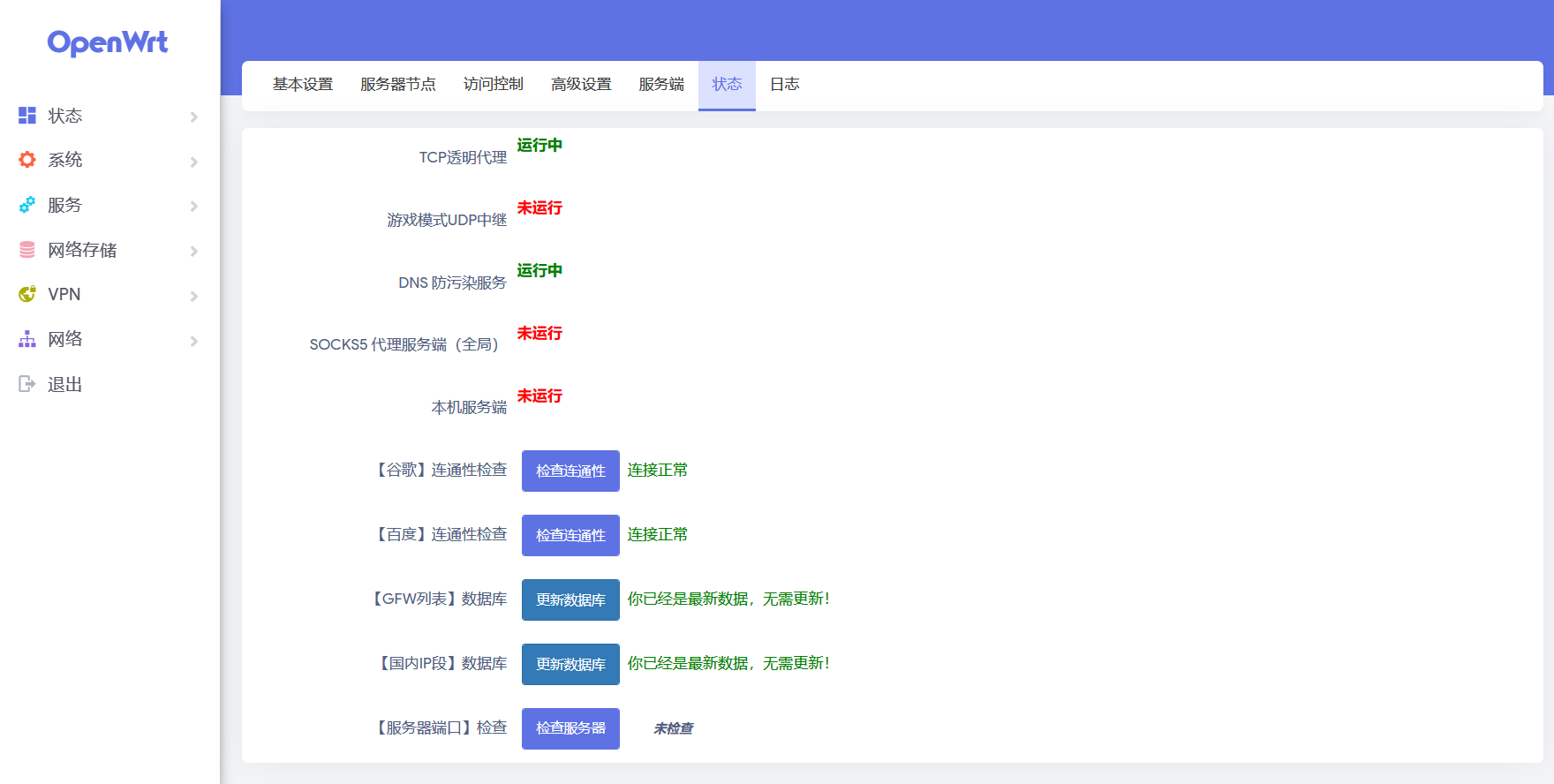
酸酸乳 plus+ not running
原因有如下两个xray-core和pdnsd-alt未安装的问题, 引起酸酸乳未启动(可能启动了也没启动)
那么直接安装这两个插件就可以了……
最终的效果
关灯
1 | /etc/init.d/led stop |
1 | /etc/init.d/led disable |
五十音
平假名
| あ | い | う | え | お | ||||||||
| k | か | き | く | け | こ | g | が | ぎ | ぐ | げ | ご | |
| s | さ | し | す | せ | そ | z | ざ | じ | ず | ぜ | ぞ | |
| t | た | ち | つ | て | と | d | だ | ぢ | づ | で | ど | |
| n | な | に | ぬ | ね | の | |||||||
| h | は | ひ | ふ | へ | ほ | b | ば | び | ぶ | べ | ぼ | |
| p | ぱ | ぴ | ぷ | ぺ | ぽ | |||||||
| m | ま | み | む | め | も | |||||||
| y | や | い | ゆ | え | よ | |||||||
| r | ら | り | る | れ | ろ | |||||||
| w | わ | い | う | え | を |
片假名
あ行:アイウエオ
か行:カキクケコ
さ行:サシスセソ
た行:タチツテト
な行:ナニヌネノ
は行:ハヒフヘホ
ま行:マミムメモ
や行:ヤ ユ ヨ
ら行:ラリルレロ
わ行:ワ ヲ
长音
あ段+あ
い段+い
う段+う
え段+え、い (ei)
お段+お、う (ou)
促音
つ(tu) っ(tsu)
拗音
| KYA | KYU | KYO |
| きゃ | きゅ | きょ |
| GYA | GYU | GYO |
| ぎゃ | ぎゅ | ぎょ |
| SYA | SYU | SYO |
| しゃ | しゅ | しょ |
| JYA | JYU | JYO |
| じゃ | じゅ | じょ |
| TYA | TYU | TYO |
| ちゃ | ちゅ | ちょ |
| JYA | JYU | JYO |
| ぢゃ | ぢゅ | ぢょ |
| NYA | NYU | NYO |
| にゃ | にゅ | にょ |
| HYA | HYU | HYO |
| ひゃ | ひゅ | ひょ |
| BYA | BYU | BYO |
| びゃ | びゅ | びょ |
| PYA | PYU | PYO |
| ぴゃ | ぴゅ | ぴょ |
| MYA | MYU | MYO |
| みゃ | みゅ | みょ |
| RYA | RYU | RYO |
| りゃ | りゅ | りょ |


